Production Planning Software That Integrates with ERP in Bangladesh Garment Factories: The 2026 Integration Guide
by Coats Digital
 9
Mins Read
Key Takeaways
- The best production planning software that integrates with ERP is the one your existing ERP will exchange data with cleanly, not the most feature-rich.
- ERP planning modules handle orders, materials, and cost well but rarely schedule sewing lines minute by minute. They solve different problems from dedicated planners.
- The strongest setup runs both: the ERP as system of record, a dedicated planner as scheduling engine, joined by a defined interface.
- FastReactPlan interfaces with ERP, PLM, shop floor, and inventory through a shared file exchange, so the ERP brand is rarely the real blocker.
- Master-data alignment, not the interface, is where most integrations quietly fail: files transfer cleanly, and the plan is still wrong.
- Bangladesh runs a mixed ERP estate, and a documented interface already exists: FastReactPlan connected to Tega ERP at Pilot Knit Garment.
- Run a seven-point integration checklist before any demo. It predicts project risk better than any feature list.
Most garment groups in Bangladesh do not have a planning problem because they lack software. They have one because the software they bought does not talk to the software they already run. An enterprise ERP holds the order book; a spreadsheet holds the real plan; merchandising works off a third version. The question that actually decides a planning-tool purchase here is narrow and unglamorous: which production planning software integrates with your ERP cleanly enough that the factory ends up with one plan instead of three?
This guide is written for the people who have to answer that: CIOs and IT directors who own the ERP, heads of planning and PPC who live with its gaps, and the MDs who sign the business case. It separates what an ERP planning module genuinely does from what a dedicated planner adds, explains how the integration works at the level of data fields, and gives you a checklist to run before you sit through a single demo.
We Already Have SAP, Why Would We Buy a Planning Tool?
Here is the pattern. A group invests in an enterprise ERP, and the vendor explains that the planning module covers capacity planning. Two years on, the planners have quietly rebuilt the plan in Excel, because the module schedules orders but not sewing lines. Merchandising keeps its own file. The business now carries two versions of the truth when it can only afford one.
If that is familiar, the useful question is not “which planning tool is best.” It is “which planning tool will feed our ERP instead of becoming another silo.” That reframing is the whole of garment production planning ERP integration, and it is where the decision is won or lost.
The commercial backdrop makes the cost of getting it wrong concrete. Bangladesh’s ready-made garment exports reached US$38.70 billion in the 2025-26 fiscal year, a decline of 1.64%, with apparel still accounting for more than 80% of national merchandise exports. The country is scheduled to graduate from Least Developed Country status on 24 November 2026, which begins a phased loss of duty-free access and puts an estimated US$17.5 billion of exports at risk of new tariffs. When margins compress that hard, re-keyed order data and stale capacity numbers stop being an irritation and start costing real money.
So the best production planning tool for a Bangladeshi group is not the most powerful one on a feature grid. It is the one your ERP will actually talk to.
Which Planning Tools Integrate with ERP in Bangladesh? (The Short Answer)
Factories here connect planning to their ERP in one of two ways. They either use the ERP’s own planning module, which is native but works at order level, or they run a dedicated planner such as FastReactPlan interfaced to the ERP, which adds line-level scheduling. The highest-performing exporters usually run both.
| Tool | Type | How it connects to ERP | Deployment | Best-fit factory |
| FastReactPlan (Coats Digital) | Dedicated planning and control | Interfaces with ERP, PLM, shop floor and inventory via a shared file exchange. Documented interface to Tega ERP at Pilot Knit Garment | Cloud / on-prem | Mid-to-large export groups where planning discipline is the binding constraint |
| SAP S/4HANA (Fashion) | ERP-native planning | Native, single system. Strong on MRP and order-level planning; line-level sewing scheduling is not its design point | Cloud / on-prem | Large vertically integrated groups already on SAP |
| Oracle NetSuite (Apparel) | ERP-native planning | Native, with matrix inventory and landed cost | Cloud | Mid-to-large exporters already on NetSuite |
| Microsoft Dynamics 365 Business Central | ERP-native planning | Native; apparel depth usually needs an ISV add-on | Cloud / on-prem | Mid-enterprise multi-entity groups |
| WFX Cloud ERP | Apparel ERP + PLM | Native Time & Action and PLM; often deployed alongside a dedicated planner | Cloud | Multi-buyer mid-to-large exporters |
| PrismERP / iBOS / MultiTech | Bangladesh-origin ERP | Native local export documentation (LC, UD, bonded warehouse); pair with a planning tool via a file interface | Cloud / on-prem | SMB to mid-size exporters |
A note on how to read that table. The enterprise ERPs are listed as platforms the interface model is built to serve, not as a published list of live integrations, because the proof should come from documented references, and the clearest documented references in this region are to apparel and local ERPs. FastReactPlan itself is used across more than 2,000 factories in over 40 countries, a broader base than any single enterprise connector would explain.
ERP Planning Module vs. Dedicated Planning Software: The Distinction IT Keeps Getting Wrong
What an ERP planning module does well, and where it stops
An ERP planning module is built around order and financial data. It knows what is due, what has been ordered, whether the materials exist, and what each order costs. A factory cannot run without that. But it is not a production plan.
Where these modules consistently run out of road is at the sewing floor. They were not designed for:
- Line-level visual scheduling.
- Recalculating capacity the moment an order moves.
- Critical-path alerting that tells a planner why a milestone is about to slip.
- Treating On-Time Delivery Performance (OTDP) as a managed number rather than one compiled after the season.
Those are not minor gaps. They are the difference between a plan and a report.
What a dedicated planning tool adds
A dedicated tool models capacity, critical path, and materials together and recalculates all three whenever anything changes. FastReactPlan schedules sewing lines against standard minutes, with efficiency profiles and start-up or training curves, so the plan reflects what a line can realistically produce rather than a theoretical minute count. Material requirements are pulled on a LEAN just-in-time basis from the latest sewing plan, which lets a factory carry less buffer stock without starving the line.
The gain shows up first in planning time. Bodynits cut its planning cycle from five to seven days down to a single day, and South Asia Textiles shortened capacity planning time by 75%. That recovered time is what lets a planner answer a buyer’s change request in the same conversation instead of a day later.
Why the winning setup is ERP plus planner, not one or the other
The clearest evidence that these are complementary systems comes from factories that kept both. At Tusuka, one of Bangladesh’s leading denim manufacturers, FastReactPlan was first implemented for line-level planning and later extended to high-level planning and integrated into the group’s ERP and Power BI systems. Neither system replaced the other. The ERP stayed the system of record, the planner became the scheduling engine, and Power BI sat on top for management reporting.
Across an operation of 67 denim lines producing 100,000 garments a day, Tusuka reported a 5% overall efficiency increase, a 9% improvement in OTDP, and a 7% drop in absenteeism once planners stopped reconciling spreadsheets, emails, and meeting logs by hand.
| Capability | ERP planning module | Dedicated planning tool |
| Planning unit | Order, SKU, financial period | Line/machine, standard minutes, day or shift |
| Capacity model | Aggregate or work-centre level | Line-level, with efficiency and learning curves |
| Re-planning | Batch MRP run | Dynamic recalculation on change, with a what-if sandbox |
| Critical path / Time & Action | Milestone fields, limited alerting | Dynamic target dates, colour-coded alerts, failure-reason codes |
| Materials | Purchasing and stock system of record | Requirements pulled from the latest sewing plan |
| Best role | System of record | Scheduling engine |
How ERP Integration Actually Works: The Interface, the Data, and the Master-Data Problem
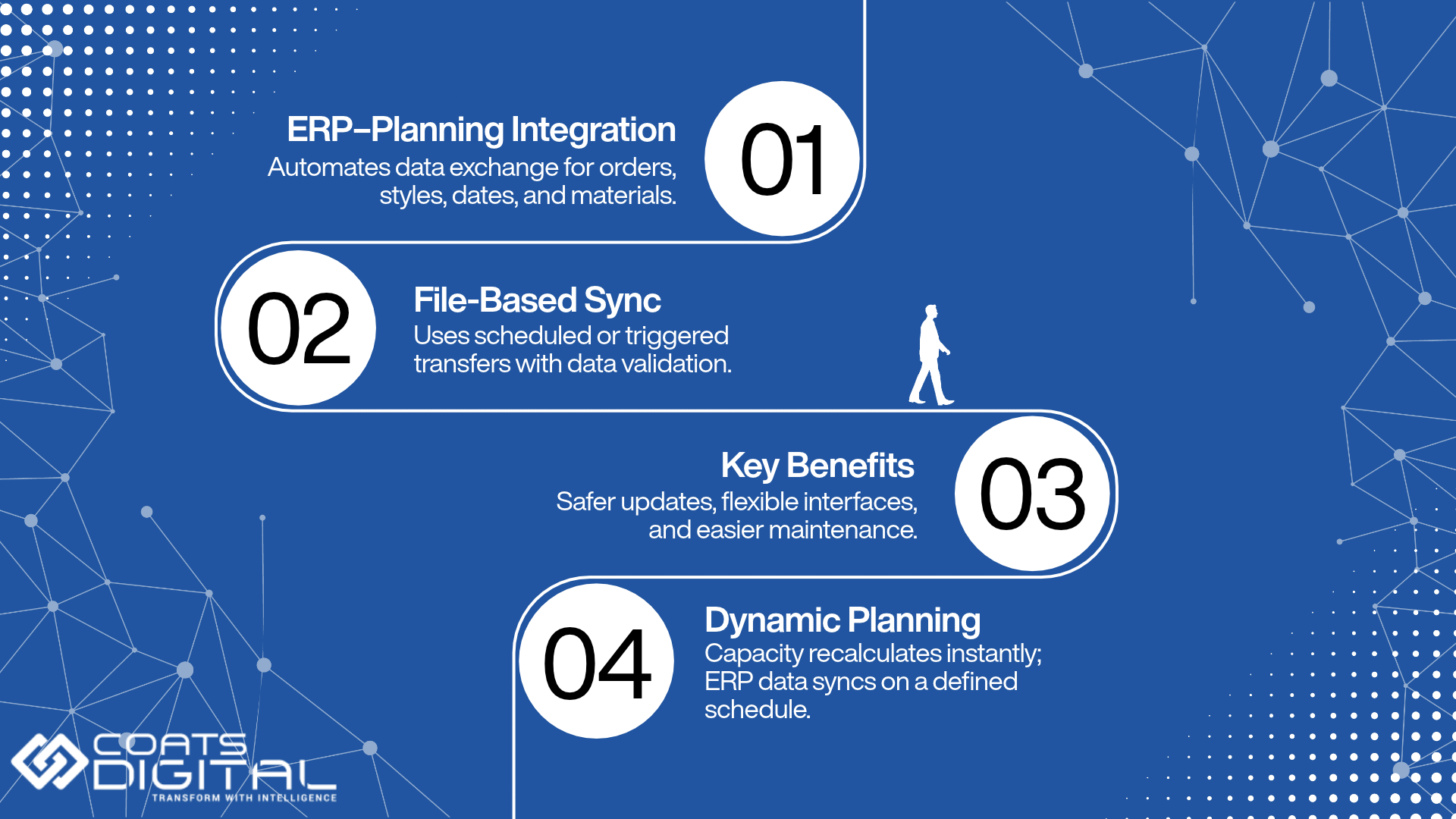
What ERP–planning integration means
ERP–planning integration in garment manufacturing is a defined, automated exchange of specific data fields between the ERP that holds the order book and the planning system that schedules production, so that both work from the same styles, orders, dates, and materials without anyone re-keying them. That is the whole of it. Everything else is detail about which fields, in which direction, and how often.
The mechanism, stated accurately.
FastReactPlan’s business systems connectivity is a data interface to a wide range of in-house and commercial systems, from ERP and shop-floor data collection to PLM. Data is exchanged through an intermediary shared file system, on an automatic basis that is timed or triggered, so that the receiving system can run its own data-integrity checks before it accepts anything. Coats Digital describes the approach as proven, quick to implement, and easy to change.
Why is that a governance strength rather than a limitation?
- Because the exchange is file-based and integrity-checked, the ERP is never written to by an outside system without validation.
- The interface can be adjusted when either system is upgraded, rather than a bespoke connector being rebuilt and maintained for every ERP.
- It does not rely on one vendor’s proprietary connector, which is precisely why the ERP brand is so rarely what blocks a project.
“Real-time” means two different things.
This is where vendors lose technical credibility, so it is worth stating plainly. Re-planning inside the tool is dynamic and immediate: move an order, and capacity, critical path, and materials recalculate at once. The data exchange with the ERP is scheduled or triggered, not a live socket.
Both are true at the same time. A planner can work an interactive, instantly recalculating plan while the confirmed data moves to and from the ERP on a defined cadence. Treating those as the same thing is how a demo promise becomes a go-live disappointment.
The master-data problem is the real failure point.
Here is the part most feature comparisons skip. The interface is rarely what fails. Master data is.
Style codes, buyer codes, colour and size definitions, units of measure, Bill of Materials structure, factory and line identifiers, and calendar definitions all have to resolve one-to-one between the two systems. Where they do not, the interface still runs green, files still transfer, and the plan is still wrong, because the two systems quietly disagree about what a style is. Most stalled integrations are master-data projects wearing an IT project’s clothes.
| Direction | Typical data | Why it matters |
| ERP → planner | Styles and SKUs, buyers, projected and confirmed orders, quantities, delivery dates, BOM, material stock, open material purchase orders | The plan is built on the live order book, not a re-keyed copy of it |
| Planner → ERP / BI | Confirmed line loading and capacity commitments, planned start and finish dates, projected ship dates, Time & Action milestones | The ERP’s dates stop being aspirational and start reflecting what the floor is scheduled to do |
| Shop floor → planner | Production updates, output by line, work in progress | Plan versus actual, and fast re-planning when the floor slips |
FastReactPlan’s ERP Integration in Practice
How the interface is set up
Implementations typically start with master planning, the control-tower view of demand and capacity across factories, then extend into detailed line-level planning at chosen units. The MRP module imports inventory and open material purchase orders from the main business system, so materials planning reflects real supply rather than an assumption. Reporting is commonly surfaced through Power BI alongside the ERP’s own reporting, which is the pattern Tusuka adopted once it took FastReactPlan into group-level planning.
Connecting to apparel-specific and local ERPs
The documented interface that matters most for a Bangladeshi reader is a local-ERP one. At Pilot Knit Garment, part of Thailand’s Yong Udom Textile Group, Coats Digital integrated FastReactPlan with the manufacturer’s existing Tega ERP, replacing manual planning that had taken more than two days to produce a workable plan. The same pattern, a dedicated planner interfaced to the system of record rather than replacing it, appears elsewhere: at China’s Top Textile, FastReactPlan was integrated with the company’s ERP and MES systems so information moved between all key systems from one source.
What changes on the floor once the plan and the ERP share data
Three things change quickly:
- Re-keying disappears, which removes an entire class of transcription error.
- Order confirmation compresses, because the planner can test a new order against live capacity and materials at once rather than waiting for a spreadsheet to be rebuilt. High Fashion halved its order-confirmation time.
- Priorities become shared across merchandising, cutting, sewing and finishing, so the ERP’s ship dates become dates the group can defend in a buyer call. Epyllion, in Bangladesh, lifted delivery performance by 58% using the critical-path tools and the control-tower view.
| Reference | What is documented | Source |
| Tusuka (Dhaka) | FastReactPlan extended to high-level planning, integrated into the group’s ERP and Power BI; 5% efficiency, 9% OTDP, 7% absenteeism drop; 67 denim lines, 100,000 garments/day | Fibre2Fashion |
| Pilot Knit Garment (Yong Udom Textile Group) | Manual planning replaced; FastReactPlan integrated with the existing Tega ERP | Fibre2Fashion |
| Top Textile (China) | FastReactPlan integrated with ERP and MES for a single flow of information | Fibre2Fashion |
| Epyllion (Dhaka) | Delivery performance up 58% using critical-path and control-tower tools | Coats Digital |
| Searock Apparels (Bangladesh) | Adopted FastReactPlan to eliminate manual Time & Action and BOM reporting; 1,100+ machines | just-style |
| Platform scale | 500+ clients, 40+ countries, 2,000+ factories; typical 3–10% productivity gain, 10–30% OTDP, 10–30% lead-time reduction, ROI under 12 months | FastReactPlan |
Why Bangladesh’s Mixed ERP Reality Makes Vendor-Agnostic Integration the Deciding Factor
Start with the implication, not the roster. Because a file-based interface does not need a bespoke native connector for each ERP, “does it support my ERP?” is rarely what blocks a project in Bangladesh. What blocks it is master-data readiness and whether someone inside the business owns the mapping.
That matters because the ERP estate here is genuinely mixed. The largest groups run enterprise ERP deployed through global system-integrator partners. The mid-tier runs apparel-cloud ERP such as WFX, or Bangladesh-origin platforms: PrismERP from Dhaka-based Divine IT, built with native handling of Letters of Credit, Utilisation Declarations and bonded-warehouse documentation; iBOS; MultiTech; and ERPNext at the smaller end. A planning layer that only connected to two enterprise ERPs would be useless to most of this market.
There is a further wrinkle at group scale. Multi-unit groups frequently carry more than one ERP across their concerns after acquisitions and phased rollouts. That is exactly the situation in which a per-ERP native-connector strategy collapses, and exactly where a single, consistent interface mechanism earns its place.
| Group scale | Typical ERP layer | Integration approach that fits |
| Large / multi-factory group (3,000+ operators) | Enterprise ERP via SI partner, often more than one platform across concerns | File-based interface per unit, master planning first, then line level; BI layer on top |
| Mid-size exporter (500–3,000) | Apparel-cloud ERP (WFX) or Bangladesh-origin ERP (PrismERP, iBOS, MultiTech) | Direct interface to the planning tool, with the local ERP vendor involved in field mapping |
| Small/single unit (under 500) | ERPNext or a local ERP; planning still partly in Excel | Structure the master data first; add a dedicated planner when volume and buyer count justify it |
This section describes ERP tiers rather than naming which platform a specific group runs, because public reporting on group-level ERP choices is thin and often dated. Confirm a named pairing with the company before treating it as fact.
How to Evaluate a Planning Tool for ERP Integration: A Seven-Point Checklist
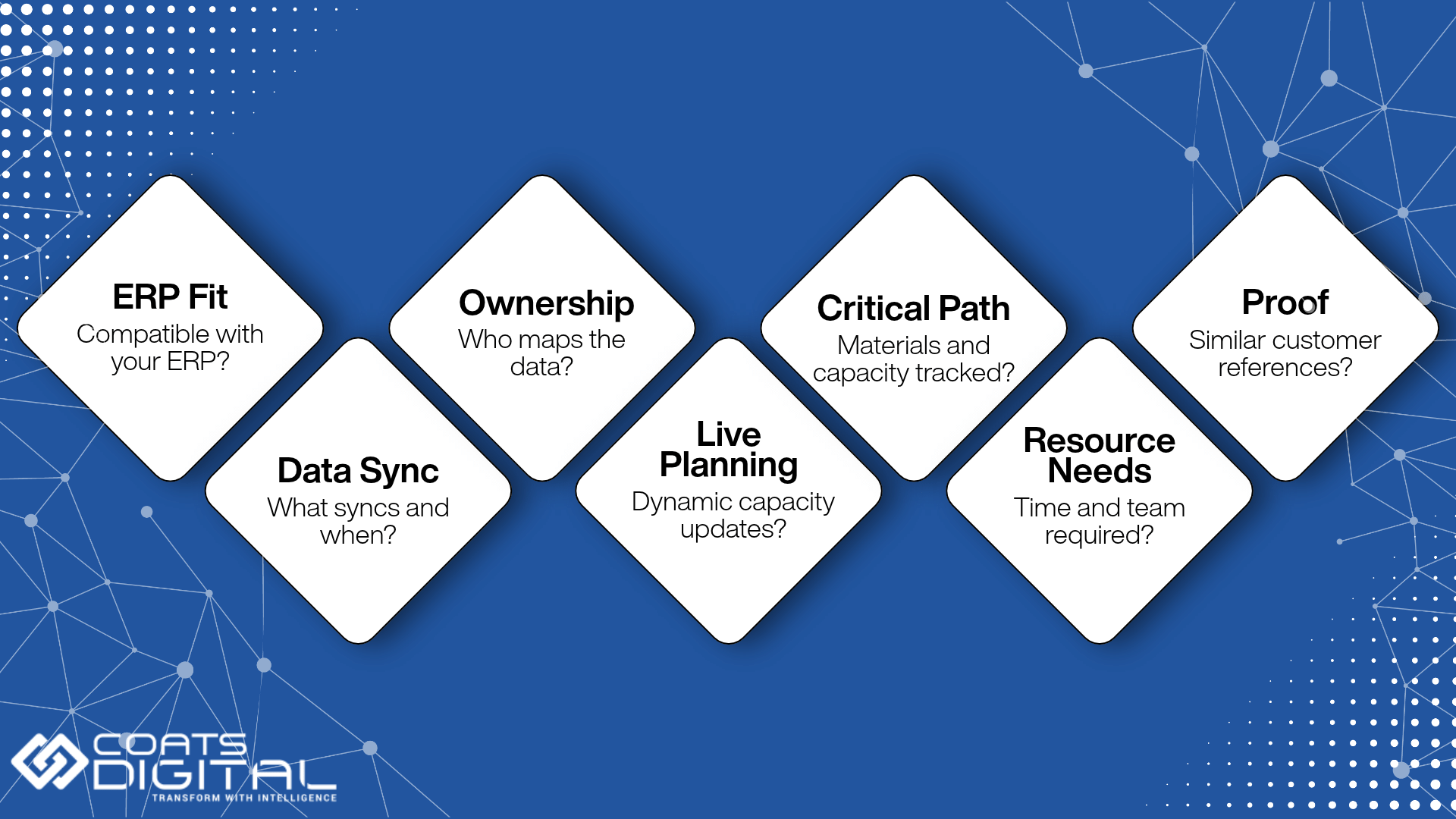
Run these before you book a demo, not during the pilot.
- Does it interface with our specific ERP, or just with “an ERP”? Ask for the mechanism, not the adjective. A real answer names a file exchange, a frequency, and a validation step.
- What data flows each way, field by field, and how often? Get the field list and the direction before the contract, so nobody discovers a missing field in week nine.
- Who owns master-data mapping: the vendor, the SI, or us? Name a person, not a function. This question predicts more outcomes than any other.
- Does it recalculate capacity dynamically, or only import a static plan? A one-way import into a viewer is a report, not a plan.
- Does it model critical path and materials as well as capacity? Capacity alone will not protect an on-time production start.
- What is the realistic internal resource cost? Ask which of your people are needed, for how long, and at which point in the season.
- What proof exists of live integrations with ERPs like ours, in this region? Ask to speak to that customer.
Red flags that signal a shallow “integration”
- A scheduled CSV export presented as if it were a live API.
- No named reference customer on your ERP or a comparable one.
- No clear answer on who owns master-data mapping.
- A demo environment where the ERP data was obviously loaded by hand.
- “Real-time” claimed with no stated frequency or trigger behind it.
What Integration Actually Takes: Effort, Timeline, and Who Does the Work
The honest answer to “how long does it take?” is that the timeline is governed by master-data readiness, not by the software. A group with clean, reconciled codes integrates quickly; one with three conflicting definitions of a style does not, however good the tool. Rather than quote a week count that would not survive contact with your own master data, here is the sequence the work follows.
- Discovery and master-data audit: Establish which system owns each data domain and where codes disagree. This phase sets the timeline more than any other.
- Interface design and field mapping: Decide which fields flow, in which direction, at what frequency, on what trigger, and what happens when a file fails validation.
- Pilot on a single unit against a live plan: Run master planning, or one factory’s line-level plan, alongside the existing process.
- Validation: Compare the interfaced plan against both the live plan and the ERP’s own numbers until every difference is explainable.
- Group rollout and BI layer: Extend across units and subcontractors, then surface KPIs in Power BI for management by exception.
Integration is a shared responsibility, and naming who owns each part up front prevents the most common stall:
| Who | Owns |
| Coats Digital implementation team | Interface design, configuration, best-practice process |
| ERP vendor or SI partner | Extract and load on the ERP side, integrity checks |
| Internal IT | File system, scheduling, monitoring |
| Internal master-data owner | Code alignment and ongoing governance |
| Planning team | Validation against reality |
Five Reasons ERP–Planning Integrations Fail: A Self-Diagnostic
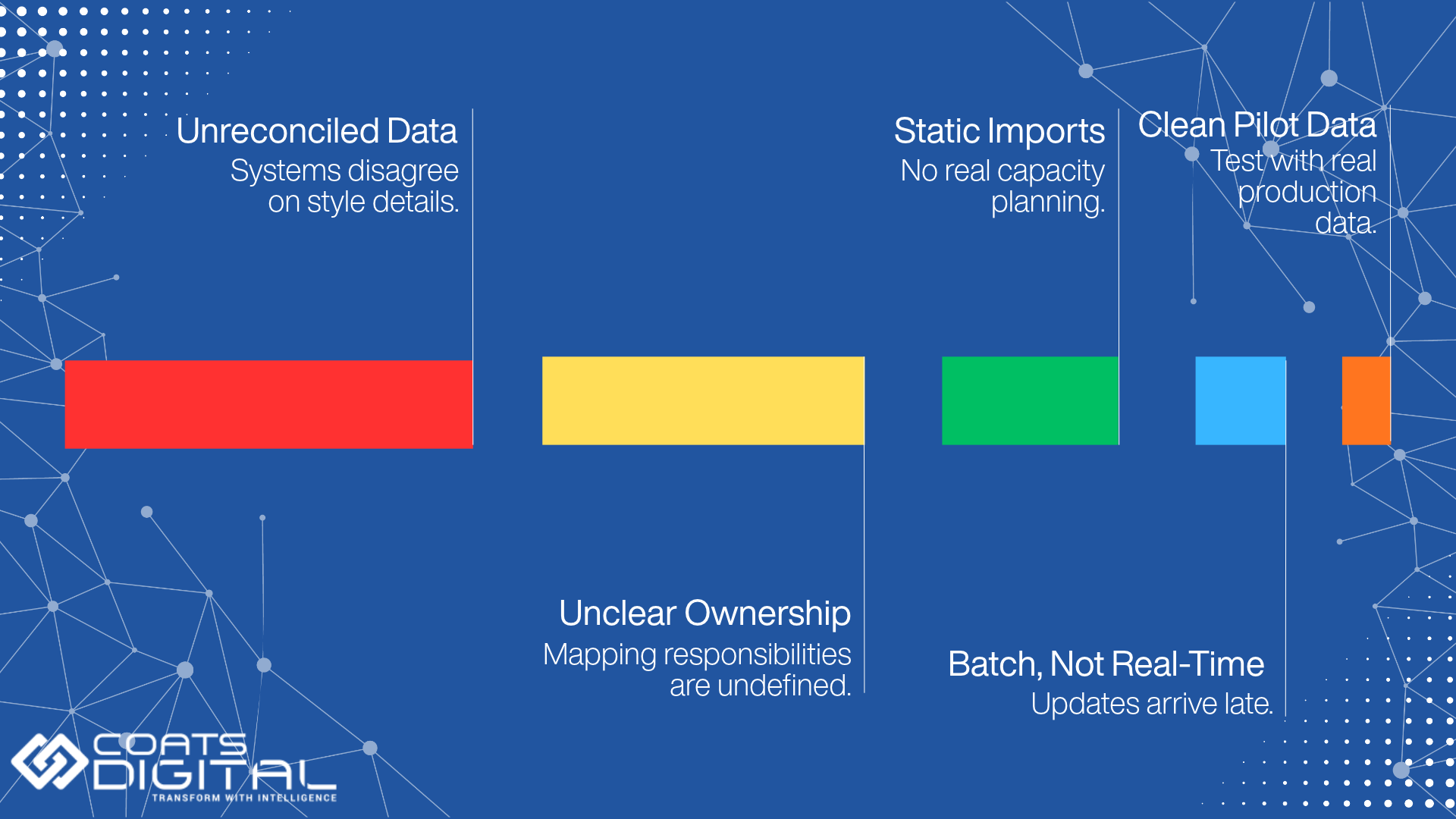
Master data was never reconciled: The interface runs green, and the plan is still wrong, because two systems disagree about what a style is.
Nobody owned the mapping: The vendor assumed the SI had it, the SI assumed IT had it, and the planners inherited it in week nine.
The plan was imported, not planned: A static import into a viewer produces a prettier version of the same spreadsheet problem.
“Real-time” was promised and batch was delivered: Expectations set at the demo, discovered at go-live, trust lost in between.
The pilot ran on clean sample data: Validate against a live, messy, in-season plan, or the pilot has proved nothing.
The Planning Decision Is an Integration Decision
For a Bangladeshi garment group, the planning-tool choice is really an integration choice. ERP modules and dedicated planners solve different problems, and the strongest architecture connects both: the ERP as system of record, the planner as scheduling engine, with a defined interface and reconciled master data between them.
The value of that architecture shows up in the metrics an IT leader is measured on. One version of the truth. No re-keying. Capacity data that becomes delivery commitments the group can defend to a buyer. As duty-free access narrows after November 2026, those are not nice-to-haves; they are how a factory protects its margin.
Before booking a demo, the single most useful step is to run the seven-point checklist above against your current ERP. From there:
- Review the full production planning and control capability set.
- Understand how FastReactPlan’s business systems connectivity works.
- Tighten the standard minutes with GSDCost that feed the accuracy of your capacity plan.
FastReactPlan is built to interface with enterprise, apparel-specific, and Bangladesh-origin ERPs through the same mechanism. The most useful first step is usually a technical integration scoping conversation rather than a sales demo, with the checklist in hand.
Frequently Asked Questions
-
What production planning tools integrate with ERP in Bangladesh garment factories?
Factories connect planning to ERP in two ways: the ERP’s own planning module (native, order-level) or a dedicated planner such as FastReactPlan interfaced to the ERP (adding line-level sewing scheduling). Most high-performing exporters run both, with the ERP as system of record and the planner as scheduling engine.
-
Does FastReactPlan integrate with SAP, Oracle or Dynamics 365?
FastReactPlan is designed to interface with in-house and commercial business systems, including enterprise ERP, apparel ERP, and PLM, through the same file-based mechanism. Rather than rely on a vendor’s adjective, ask for a named reference on your specific ERP. For a specific SAP, Oracle, or Dynamics reference, speak to Coats Digital’s local team directly.
-
Can FastReactPlan connect to an apparel or Bangladesh-origin ERP such as WFX or Tega?
Yes. The interface is vendor-agnostic rather than tied to enterprise platforms. A documented example is FastReactPlan integrated with Tega ERP at Pilot Knit Garment, part of the Yong Udom Textile Group, where it replaced manual planning. The same approach applies to apparel-cloud and local ERPs used across the Bangladeshi mid-tier.
-
Does FastReactPlan use an API, and is the sync real-time or batch?
Data is exchanged through an intermediary shared file system on an automatic basis, timed or triggered, with the receiving system running its own integrity checks. Two things are true at once: re-planning inside the tool is dynamic and immediate, while the exchange with the ERP is scheduled or triggered rather than a live socket.
-
What data flows between the ERP and the planning tool?
From ERP to planner: styles and SKUs, buyers, projected and confirmed orders, quantities, delivery dates, BOM, material stock, and open purchase orders. From planner back to ERP or BI: confirmed line loading, capacity commitments, planned start and finish dates, projected ship dates and Time & Action milestones. From the shop floor: output by line and work in progress.
-
Isn’t my ERP’s planning module enough?
An ERP planning module handles orders, materials, and financials well, but it is not built for line-level visual scheduling, dynamic capacity recalculation, critical-path alerting, or OTDP tracking. Those are the gaps a dedicated planner fills, which is why strong exporters keep both.
-
What is the difference between ERP capacity planning and dedicated production planning software?
ERP capacity planning works at an aggregate or work-centre level and replans through a batch MRP run. Dedicated software plans at line and machine level against standard minutes, models efficiency and learning curves, and recalculates capacity, critical path and materials dynamically whenever something changes.
-
Do I need to replace my ERP to adopt a dedicated planning tool?
No. The intended pattern is coexistence, not replacement. At Tusuka, FastReactPlan was integrated into the group’s existing ERP and Power BI rather than replacing either. The ERP remains the system of record; the planner becomes the scheduling engine.
-
How long does an ERP–planning integration take in a garment factory?
The timeline is governed by master-data readiness rather than the software. Clean, reconciled codes integrate quickly; conflicting definitions do not. The work follows a predictable sequence: master-data audit, interface design and field mapping, a single-unit pilot against a live plan, validation, then group rollout with a BI layer.
-
Who handles master-data mapping during integration?
It must be owned by a named person inside the business, usually a master-data owner working with internal IT, the ERP vendor or SI partner, and the planning vendor’s implementation team. Unowned mapping is the most common reason integrations stall.
-
What causes ERP–planning integration projects to fail?
The five recurring causes: master data that was never reconciled, mapping that nobody owned, a plan that was imported rather than planned, “real-time” promised but batch delivered, and a pilot run on clean sample data instead of a live, in-season plan.
-
Which ERPs do Bangladeshi garment groups use?
By tier: the largest groups run enterprise ERP through system-integrator partners; the mid-tier runs apparel-cloud ERP such as WFX or Bangladesh-origin platforms like PrismERP, iBOS and MultiTech; the smallest units run ERPNext or a local ERP with planning still partly in Excel.
-
Can the planning tool feed Power BI as well as the ERP?
Yes. Reporting is commonly surfaced through Power BI alongside the ERP’s own reporting, which lets management work by exception against live KPIs. Tusuka integrated FastReactPlan into both its ERP and Power BI systems once it extended the tool into high-level planning.
-
How does integrated planning improve On-Time Delivery Performance (OTDP)?
When the plan and the ERP share the same orders, dates, and materials, capacity commitments become realistic, and priorities are shared across departments, so fewer orders start or ship late. Tusuka reported a 9% OTDP improvement, and across its client base, Coats Digital reports typical OTDP gains of 10–30% after adopting FastReactPlan.

Garment Labour Cost, Explained: What a Bill of Labour Is and How It Differs From a Bill of Materials
Garment Capacity Planning Software in India: How to Size, Choose and Implement It (2026)
All Blog Categories
- Production Planning
- Corporate
- Method Time Cost Optimisation
- Supply Chain Solutions
- Sustainability
- Videos
