Production Planning Software With Strong What-If Scenario Planning for Manufacturers
by Coats Digital
 8
Mins Read
Key Takeaways
- Production planning software with what-if scenario planning lets planners test a change, like a fabric delay, in a plan copy before committing it.
- Isolation is the defining test: the committed production plan must stay untouched until the planner deliberately releases the scenario.
- A usable scenario recalculates capacity, materials, the critical path, and every affected order together, not just one planning board.
- Apparel floors most often model seven scenarios: fabric delay, line down, shared-process overload, buyer pull-in, new quote, reallocation and seasonal surge.
- Grade every tool on four criteria: isolation, breadth of recalculation, replan speed and a clean one-step release to the shop floor.
- Kinaxis, DELMIA Quintiq and SAP IBP suit network-level scenarios; Coats Digital’s FastReactPlan suits line-level apparel, footwear and textile decisions.
- Before signing, model a fabric delay on your own peak-month data, discard it, and confirm the live plan is unchanged.
A buyer asks to bring a delivery forward by two weeks. Before anyone replies, the planner needs to know which other orders will slip, which fabric must arrive earlier, and whether the wash plant can take the extra load. They need that answer in minutes, not after a morning spent rebuilding spreadsheets.
Production planning software with what-if scenario planning is built to answer questions like this. This guide explains what the capability should do and covers the seven scenarios a garment floor actually models. It also shows how to tell a usable feature from a checkbox, and ends with an eight-step demo script.
Short answer: What-if scenario planning lets a planner model a change in a sandbox copy of the live plan. The planner sees the full effect on capacity, materials, and delivery dates, then releases or discards the change without touching committed production. In apparel, Coats Digital’s FastReactPlan lets the master planner sandbox scenarios, including moving work across factories and subcontractors. Judge any tool on isolation, breadth, speed, and release.
Why Does What-If Scenario Planning Matter More Now?
Disruption is no longer occasional. The World Economic Forum’s Global Value Chains Outlook 2026 says supply chains have entered an era of structural volatility. It also reports that three in four business leaders now prioritise resilience as a driver of growth.
Visibility has not kept pace. McKinsey’s annual survey of 100 supply chain leaders found that most companies understand their supply chain risks only up to tier-one suppliers. A garment factory rarely hears about a fabric mill’s problem until the delivery is already late.
Apparel has its own volatility on top of that. The Bangladeshi knitwear group Epyllion handles at least 300 style changes a month, with orders ranging from 500 to 100,000 pieces. With that much change, being able to test a decision before committing to it makes delivery promises far easier to keep.
What Is What-If Scenario Planning in Production?
Almost every planning tool claims “what-if”, but few explain what they mean by it. It helps to agree on what the feature should do before comparing tools.
Definition: What-if scenario planning lets a planner model a proposed change to a production plan in an isolated copy. The software recalculates the knock-on effect on capacity, materials, and delivery dates. The planner then releases or discards the change. The committed plan only changes if they release it.
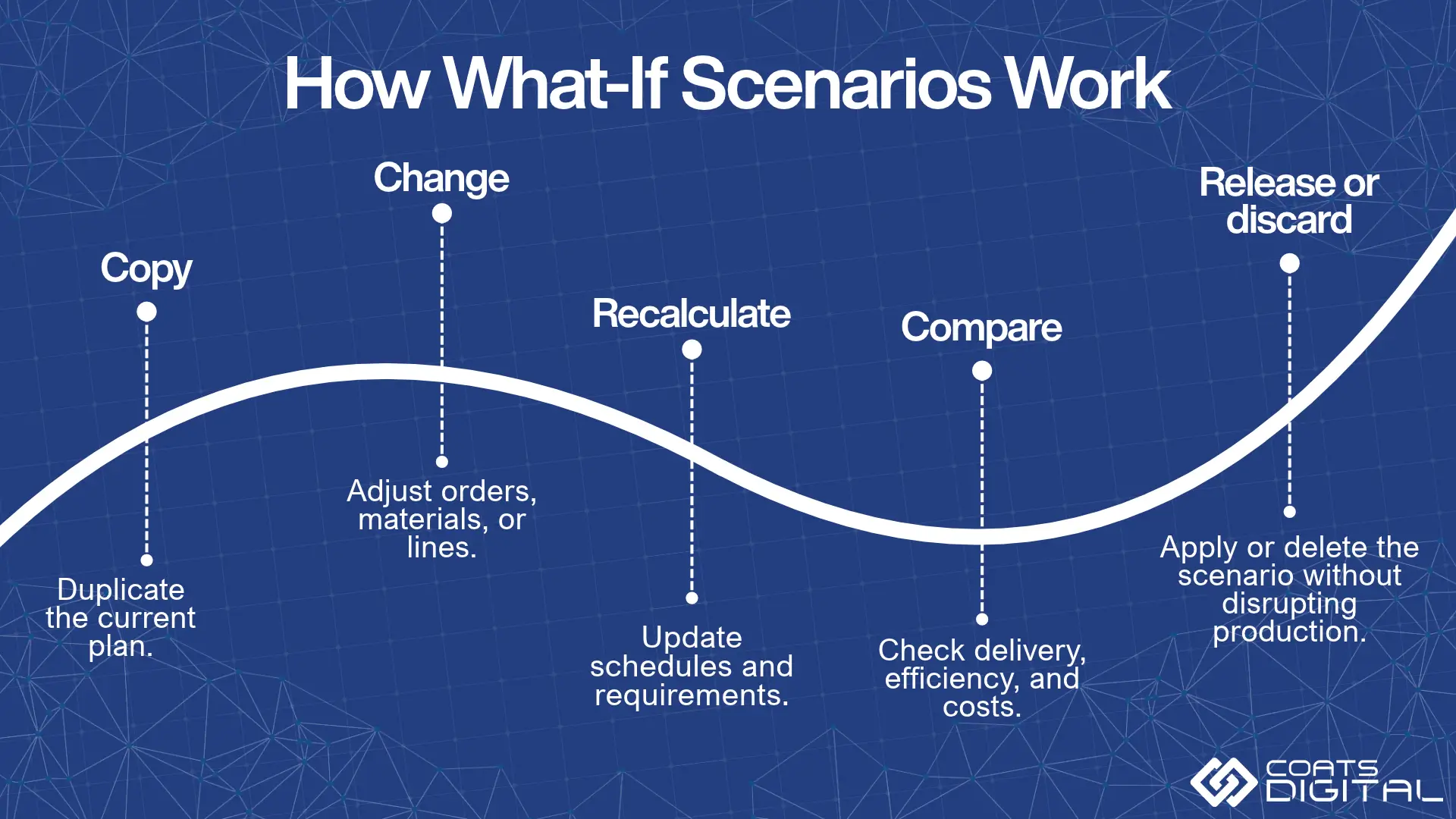
How does a what-if scenario work, step by step?
- Copy. The planner creates a scenario from the current committed plan.
- Change. One decision is applied: delay a fabric, add an order, take a line out.
- Recalculate. Lines reload, material requirements rerun, and critical-path dates move.
- Compare. The planner checks the scenario against the live plan, or against other scenarios, on delivery, efficiency, and cost.
- Release or discard. The chosen scenario becomes the live plan, or is deleted without affecting the floor.
Why is isolation the defining test?
A scenario has to run in a copy so the planner can try out a bad idea without consequences. If modelling a change edits the live plan, every test becomes a real decision, and planners soon stop testing.
Coats Digital’s FastReactPlan describes its master planning board this way. The master planner can sandbox “what if” scenarios, such as ramping capacity up or down, then release the chosen plan to suppliers and the shop floor. Some general APS vendors document the same principle. PlanetTogether defines a what-if scenario as a copy of the production plan that is tested before the live schedule changes.
Why must a scenario recalculate the whole chain?
Moving a date, an order, or a line has knock-on effects. Material requirements shift, pre-production milestones move, and other orders sharing the same capacity get pushed back. Good scenario planning carries the change through to all of them.
A more limited “what-if” reloads one board and leaves materials and the Time and Action (T&A) calendar out of date. The delivery dates it shows can’t be relied on.
How is scenario planning different from forecasting and a digital twin?
The three terms are related but do different jobs:
- Forecasting predicts what demand will arrive: which styles, how many units, when.
- A digital twin is a virtual model of a whole operation or network, used to simulate and optimise it broadly.
- What-if scenario planning tests one specific decision against today’s plan. For example: “What happens if this buyer pulls in two weeks?”
A forecast can feed a scenario, and a digital twin can host scenarios. But production planners run scenarios every day without either.
Vendors sell by headcount, but planners work in lines, style changes, and buyer calendars. Translate 5,000 workers into those units before you compare any software.
Sandbox scenario vs live edit
| Sandbox scenario (usable) | Live edit labelled “what-if” (checkbox) | |
| Where it runs | In an isolated copy of the plan | Directly on the committed plan |
| What recalculates | Capacity, materials, critical path, affected orders | Usually one board or one line |
| Risk to production | None until released | Immediate; changes are live |
| Planner behaviour | Explores, compares and discards freely | Hesitates; every test is a commitment |
In practice, the question is whether planners will use the feature on a busy Monday. They will only do that if they trust that a test can’t change the committed plan by accident.
Which Scenarios Do Manufacturers Actually Need to Model?
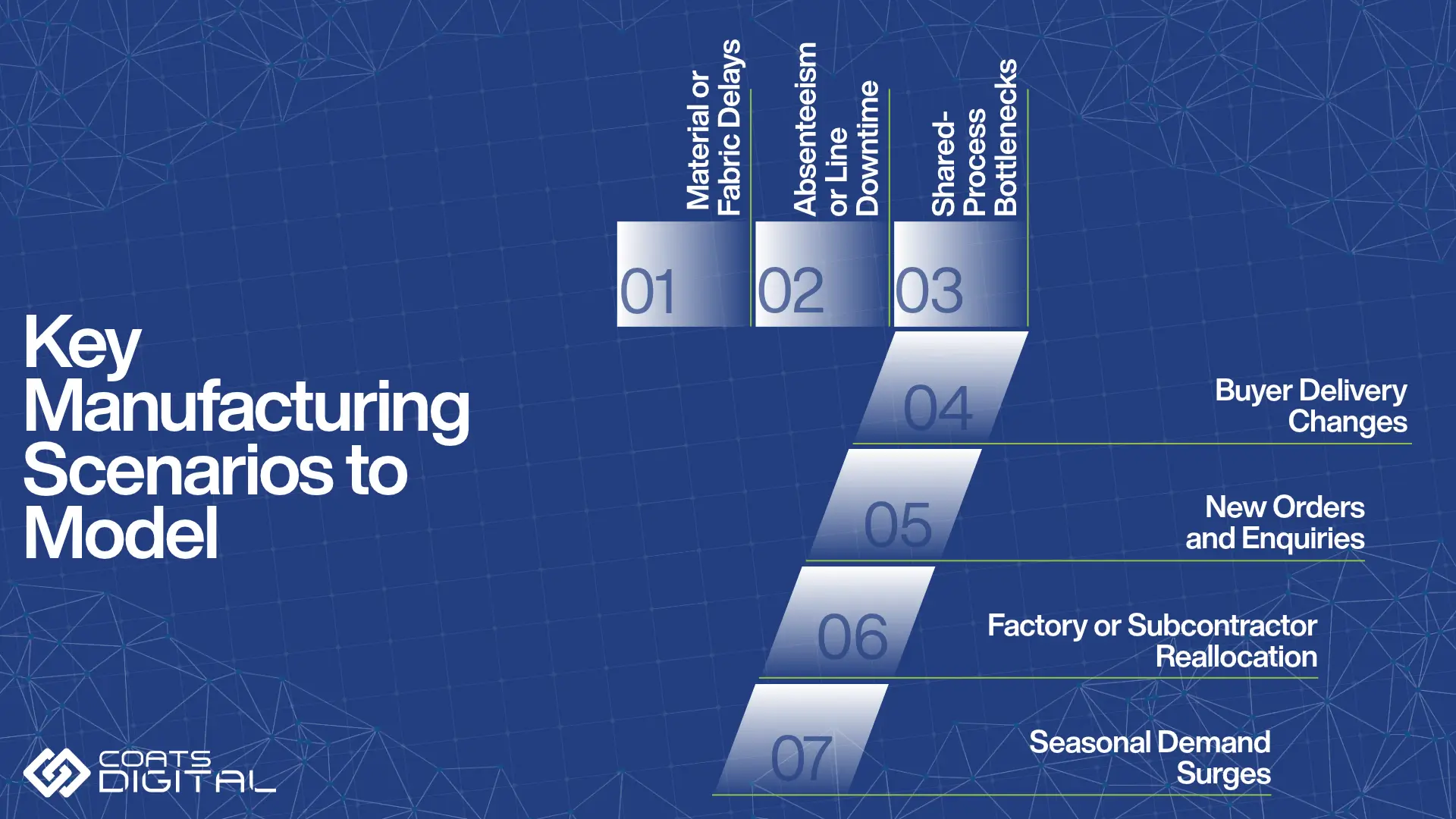
Planners run scenarios to answer specific questions. These seven come up most often on a make-to-order apparel, footwear, or textile floor.
1. A material or fabric delay
Trigger: the fabric mill slips by several days.
Question: which deliveries move if we keep the current line plan, and what changes if we resequence?
Must recalculate: the affected lines, the pre-production critical path and ex-factory dates. The planner then compares the result against holding the original dates.
2. Absenteeism or a line down
Trigger: operators are short, or a block of lines stops because of power, gas pressure or maintenance.
Question: how much capacity is really left, and which orders are now at risk?
Must recalculate: capacity line by line, then flag at-risk orders by name rather than as a total.
Here is the calculation the software should be doing for you:
- A line of 40 operators working 480 minutes at 60% efficiency produces 11,520 standard minutes a day.
- On a style with a standard minute value (SMV) of 16, that is 720 pieces.
- If four operators are absent, output drops to 648 pieces a day, before any knock-on effect on the orders behind it.
For a fuller walk-through, see how to calculate your factory’s real capacity.
3. A shared-process bottleneck
Trigger: washing, embroidery, screen printing, or dyeing is already fully loaded, and a rush order arrives.
Question: can the shared process absorb it, and what slips on the sewing lines if not?
Must recalculate: both the shared-process schedule and the sewing lines feeding it. The two are linked. A tool that plans them separately hides the conflict until goods are waiting at the wash plant.
4. A buyer pull-in or push-out
Trigger: a customer moves a delivery forward or back.
Question: if we accept, whose orders and which T&A milestones slip?
Must recalculate: every order sharing that capacity, plus the material and approval dates that depend on them.
5. A new enquiry or order quote
Trigger: a buyer asks for a delivery date on a new multi-style order.
Question: what date can we realistically promise?
Must recalculate: true line capacity and material lead times. Line capacity should include start-up or learning curves for new styles. All of this needs checking before anyone commits a date by email.
6. Reallocation across sites or subcontractors
Trigger: one unit is over-committed while another has space.
Question: what happens to cost and delivery if we move the work, or send it out?
Must recalculate: both sites’ loads from one control tower across factories and subcontractors. Neither site’s committed plan should change until the planner releases the scenario.
7. A demand surge or seasonal peak
Trigger: a large seasonal block of orders lands at once.
Question: which loading strategy protects delivery at the lowest cost?
Must recalculate: the effect of overtime, reallocation, subcontracting and grouping styles by product family. The options are compared on cost and On-Time Delivery Performance (OTDP).
Grouping by product family can make a real difference. The activewear maker Bodynits says keeping one product family per line was a key factor in its efficiency gains (Bodynits testimonial).
The seven scenarios at a glance
| Scenario | The question it answers | What must recalculate |
| Fabric delay | Which deliveries move? | Lines, critical path, ex-factory dates |
| Line down or absenteeism | Which orders are now at risk? | Capacity per line, named late orders |
| Shared-process overload | Can wash or embroidery absorb a rush? | Shared process and the sewing lines feeding it |
| Buyer pull-in | Whose orders slip if we accept? | Shared capacity, T&A milestones |
| New quote | What date can we promise? | Real line capacity, learning curves, material lead times |
| Reallocation | Should work move sites or go out? | Loads at both sites, cost, delivery |
| Seasonal surge | Which loading strategy wins? | Overtime, subcontracting, changeovers, OTDP |
You can use this grid as a checklist in software demos. Test every vendor against the same seven rows, whether or not they specialise in apparel.
What Makes What-If Planning Usable, Not Just a Checkbox?
Four criteria show whether planners will actually use a tool’s scenario planning day to day: isolation, breadth, speed and release. Most planning tools list “what-if”, but far fewer meet all four.
1. Isolation
Scenarios run in a copy, and the committed plan is safe until release. If a test can leak onto the shop floor, planners will be wary of using the feature at all.
2. Breadth of recalculation
A scenario should carry through to capacity, materials, the critical path and every affected order. If only part of the plan recalculates, the dates it shows are unreliable. How far a change carries through depends on how the software is built.
FastReactPlan, for example, plans capacity, materials and the pre-production critical path in one connected system. It calculates material requirements on LEAN pull principles from the latest sewing plan (FastReactPlan). That is why one scenario can update all three.
3. Speed
If a replan takes a whole morning, planners will run it once a week at most. If it takes a few minutes, they can run it while the buyer is still on the phone. The only fair way to judge speed is to time a full replan on your own data.
4. Comparison and release
The planner should be able to view options side by side, choose one, and release it in a single action. Otherwise, someone has to re-enter the winning option by hand.
In FastReactPlan’s documented flow, the planner releases the chosen plan to suppliers and the shop floor once they are happy with it.
Usable vs checkbox scorecard
| Criterion | Usable scenario planning | Checkbox “what-if” | How to check in a demo |
| Isolation | Runs in a sandbox copy | Edits the live plan | Model a change, discard it, show the live plan is unchanged |
| Breadth | Materials, critical path, and orders all recalculate | Capacity on one board only | Delay a fabric and watch whether T&A dates move |
| Speed | Minutes on a full plan | Long recalculation, or only a subset | Time a full-floor replan on your data |
| Release | Compare, accept and release in one step | No clean commit path | Promote a scenario to the live plan on screen |
Which Production Planning Tools Are Known for What-If Scenario Planning?
Scenario planning appears in three kinds of tools:
- Supply chain planning platforms model what-if at network level, across demand, supply, inventory, and finance.
- Discrete-manufacturing Advanced Planning and Scheduling (APS) tools model it at machine and resource level.
- Dedicated apparel planners model it at sewing-line and process level.
The right choice depends on which decisions cause you the most trouble. The table below summarises each vendor’s own published description, checked in November 2026. It groups tools by category and is not a ranking.
| Tool | Category | Scenario-planning angle (vendor-stated) | Best fit | Limitation |
| FastReactPlan (Coats Digital) | Dedicated apparel, footwear and textile planning | Master planner sandboxes scenarios; ramps capacity; reallocates across factories and subcontractors; capacity, materials and critical path in one system | Make-to-order apparel, footwear and textile manufacturers | Built for fashion manufacturing; not a general discrete-manufacturing APS or an ERP |
| Kinaxis Maestro (formerly RapidResponse) | Supply chain planning platform | Concurrent planning with scenario modelling across demand, supply and inventory | Large, multi-echelon supply networks | Network-level; not designed around garment line scheduling |
| DELMIA Quintiq (Dassault Systèmes) | Supply chain and operations planning | Unlimited what-if scenarios to test disruptions before acting | Complex, constraint-heavy planning and scheduling | Highly configurable, so scope the configuration effort early |
| SAP IBP | Enterprise integrated business planning | Versions, scenarios and simulations for what-if analysis | Cross-functional S&OP and supply planning | Works at planning-area level; no native apparel line logic such as SMVs, changeovers or T&A |
| PlanetTogether APS | Discrete-manufacturing APS | Scenario as a copy of the plan; tests equipment, maintenance, staffing and demand changes | Discrete and process plants moving beyond spreadsheets | Learning curves, style changeovers, and wash plants are not its focus |
| Siemens Opcenter APS (Preactor) | Discrete-manufacturing APS | Generates and evaluates multiple scenarios; builds a new “what if” plan when demand changes | Discrete manufacturers with multi-constraint scheduling | Garment process logic is not built in |
FastReactPlan: the apparel angle
On a make-to-order floor, a scenario is only as reliable as the line data underneath it. FastReactPlan schedules sewing lines using standard minutes, efficiency profiles and start-up or training curves.
It schedules bottleneck processes such as embroidery and screen printing automatically from the sewing plan. An optional embellishment and laundry module reschedules connected processes around minimum runs and lead times.
Coats Digital states that the product serves 500+ clients in 40+ countries, with 2,000+ factories planned on it (FastReactPlan). It is a dedicated planner that runs alongside your ERP, not a replacement for it.
Supply chain planning platforms
Kinaxis, DELMIA Quintiq and SAP IBP work best for strategic decisions: network design, multi-site supply, inventory policy, or sales and operations planning (S&OP). Blue Yonder, Anaplan and o9 Solutions often appear on the same shortlists, so check their scenario features in each vendor’s own documentation. For a single garment factory, these platforms usually cover far more than a line-level decision needs.
Discrete-manufacturing APS
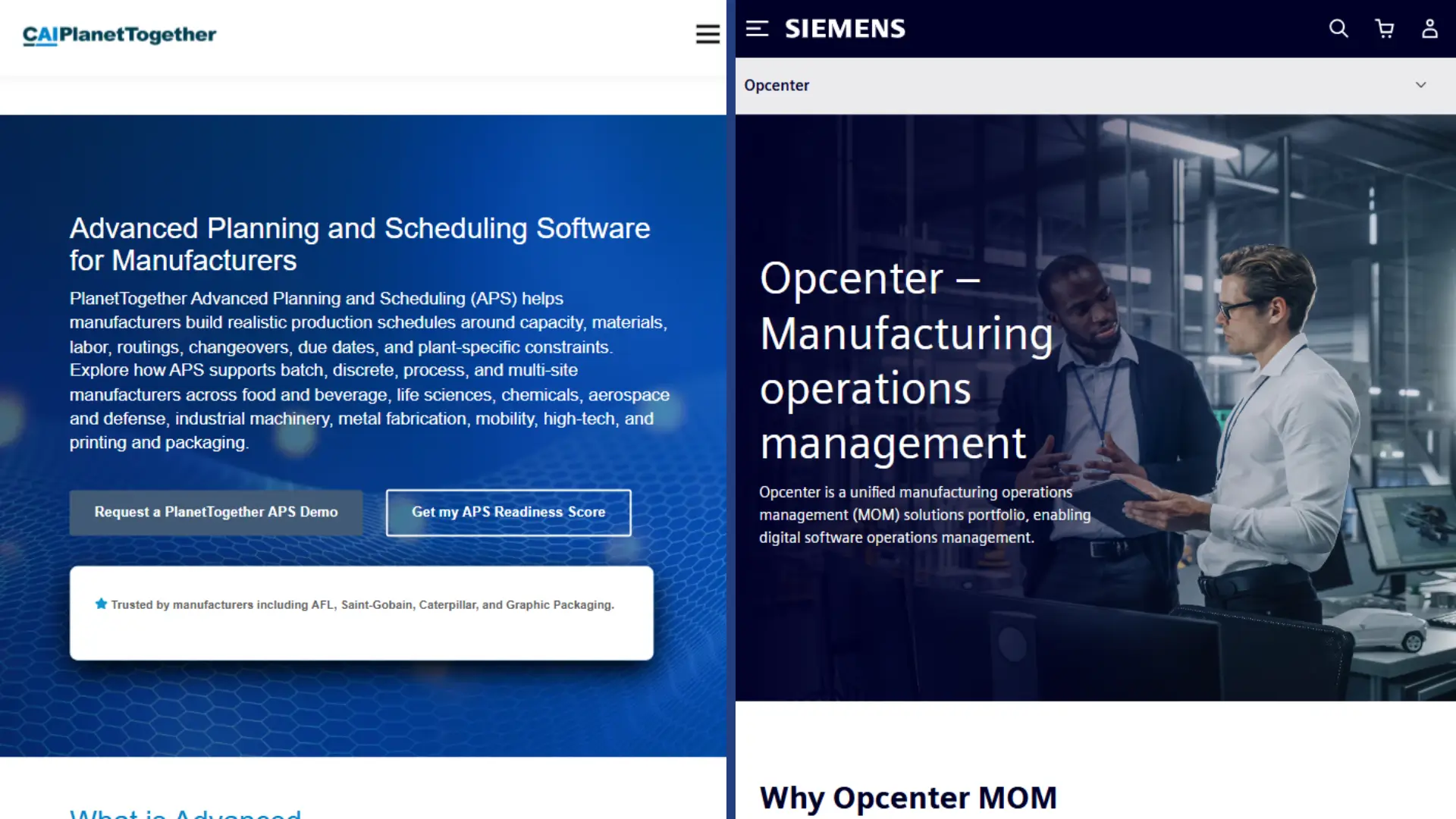
PlanetTogether and Siemens Opcenter are finite-capacity schedulers with real what-if capability. They are aimed at plants moving beyond spreadsheets or ERP-only scheduling.
The gap for apparel is process logic. Standard minute values, learning curves, style changeovers, and shared wash or embroidery plants are not built in, so expect some configuration work to represent them.
Where ERP planning modules and spreadsheets stop
An Enterprise Resource Planning (ERP) or MRP II module records commitments and plans materials and finance against them. It rarely tests whether the floor can meet a commitment line by line.
A spreadsheet cannot isolate a scenario safely, because the copy and the live plan drift apart as soon as anyone edits either one. Our guide to integrating production planning software with ERP explains how the two systems divide the work.
What Results Come From Scenario-Led Planning?
The clearest results come from apparel manufacturers that changed how they confirm orders, check capacity, and move work between sites. Every figure below is customer-reported and vendor-published, not independently audited.
| Manufacturer | Context | Reported result | Scenario capability it reflects | Date |
| Epyllion | 18,000 employees; five vertically integrated knit factories in Bangladesh | On-time delivery performance up 58%; on-time production start-up 41% | Control-tower view of the whole order book for management and marketing | Page updated May 2025 |
| South Asia Textiles | 1,400+ staff; 800,000 kg of textiles a month | Capacity-planning time cut 75% (8 hours to 2); OTDP up 15% | Faster capacity planning beyond the previous three-day visibility window | Page updated August 2024 |
| Bowker Asia | Sportswear group; seven main facilities in Vietnam, Cambodia and China | Plan accuracy up 10%; OTDP up 10%; production efficiency up 3% | Comparing plans on cost, efficiency and delivery; rebalancing load per facility | Announced November 2023 |
| Paddock’s Jeans | Export denim manufacturer, Dhaka Export Processing Zone | Performance to plan up 8% | Checking capacity against a realistic scenario before planning | Page updated August 2023 |
| Bodynits | Activewear; 30-line Vietnam factory making about 80 styles a month | Planning time from 5–7 days to 1 day; average efficiency up 20% | Replanning by product family to reduce style changeovers | Deployed 2014/15; page updated August 2023 |
| Azim Group | 20,000+ employees; 13 garment units in Bangladesh | Order confirmation 97% faster (about two days to 30 minutes); plan-versus-actual efficiency up 15% | Capacity-checked order confirmation across many units | Announced January 2022 |
Two results map most directly onto the scenarios above:
- The new-quote scenario. Azim Group’s order confirmation fell from about two days to 30 minutes, fast enough to answer a buyer the same day.
- The reallocation scenario. Bowker’s senior MIS manager said the system lets the group “quickly adjust the capacity vs loading of each facility” (Knitting Industry, November 2023).
Keep a few caveats in mind. Results depend on each manufacturer’s starting point; several of these deployments are years old, and none of the figures predict what your factory will achieve. They show what these manufacturers achieved once planners used scenarios to make faster, better-informed decisions.
Across its customer base, Coats Digital states typical benefits of:
- a 3–10% productivity increase
- a 10–30% improvement in OTDP
- a 10–30% reduction in lead time
- return on investment typically within 12 months
Source: FastReactPlan.
How Do You Test What-If Scenario Planning in a Software Demo?
Run every vendor through the same eight tests on your own peak-month data, not their sample file. Time each replan yourself and record the result for each vendor.
- Isolation: Ask the vendor to model any change, then discard it.
Pass: you can confirm the committed plan hasn’t changed. This is the most important test, and many demos skip it. - Full-chain replan: Delay one fabric by several days in a scenario.
Pass: materials, the critical path, and every affected line recalculate, not just one board. Time it. - Line down. Remove a day’s operators or take a block of lines out.
Pass: capacity falls line by line, late orders are flagged by name, and the live plan stays committed. - Shared bottleneck. Load washing or embroidery to full, then add a rush order.
Pass: the conflict shows on both the shared-process schedule and the sewing lines feeding it. - Buyer pull-in. Bring one buyer’s delivery forward by two weeks.
Pass: the tool shows exactly which other orders and T&A milestones slip. - New enquiry. Quote a delivery date for a new multi-style order.
Pass: the date reflects real line capacity, learning curves and material lead times. Time it. - Reallocation. Move work from an over-committed unit to another site or a subcontractor. Pass: both sites’ committed plans stay untouched until you release.
- Compare and release. Hold two scenarios side by side, pick one and release it.
Pass: the comparison is on screen, and release is a single action. Where relevant, the released plan also reaches suppliers and the floor.
A simple scorecard makes vendors easier to compare. Use one row per test, with columns for the pass signal, the time taken, and each vendor’s result.
There’s no single target time to aim for, because plan size and complexity vary. If a demo goes well, confirm it with a small pilot on one factory or line before rolling out. Our capacity planning software guide covers demo questions and pilot scope in more detail. To see these tests on a live plan, bring your own peak month to a FastReactPlan demo.
What Should IT Check Before Committing?
A scenario is only as good as the data behind it. For the head of IT or the ERP owner, three questions matter:
- Where do scenario inputs come from?
- How fresh are they?
- How does a released plan reach the floor?
| Check | What to confirm | FastReactPlan position (per the product page) |
| Data for scenarios | Where orders, styles, inventory and labour standards come from | Imports inventory and open purchase orders from the main business system; schedules lines on standard minutes |
| Labour standards | Whether standard minutes are method-based or estimated | Takes standard minutes as an input; method-based SMVs from a tool such as GSDCost make every scenario’s capacity figures more reliable |
| Integration method | How data moves between ERP, PLM, MES and the planner | An intermediary shared file system, timed or triggered, so the receiving system can run its own integrity checks |
| Refresh cadence | How current the plan is between updates | Set by the interface schedule agreed during implementation |
| Release path | How a released scenario reaches the floor and suppliers | The chosen plan is released to suppliers and the shop floor on the planner’s action |
| Reporting | Management KPIs without rebuilding spreadsheets | Optional Power BI KPI dashboards; optional AI Analytics add-on with an “Ask Coats Digital” assistant |
| Access and audit | Roles, and who changed the plan and when | Ask for a live demonstration |
| Deployment and security | Hosting model, data residency, current security attestations | Request current documentation from the vendor |
How often data refreshes matters as much as the feature itself. If a scenario starts from yesterday’s work-in-progress, its dates will look precise but be wrong.
For how a planner connects to an ERP, see our ERP integration guide for production planning software. For why labour standards underpin every capacity figure, see what a bill of labour is.
What Mistakes Do Buyers Make When Judging What-If Planning?
- Trusting the feature label. Every tool lists “what-if”. Check how it actually behaves using the scorecard above.
- Accepting a demo on clean sample data. Sample plans are small and tidy. Insist on your own peak month, with your real style mix and changeovers.
- Skipping the isolation test. If modelling a change touches the live plan, planners will avoid the feature. Test discard before anything else.
- Judging capacity alone. A full scenario also recalculates materials and the critical path. Delay a fabric and check that T&A dates move.
- Not timing the replan. If a replan is too slow to run during a buyer call, it won’t change how you plan day to day.
- Forgetting the release path. If there’s no clean way to compare, accept, and release, planners end up re-entering the chosen option by hand.
Model the Change Before You Make It
Good what-if scenario planning lets you test a real decision in a safe copy, see its effect on capacity, materials, and delivery dates quickly, and then commit it cleanly. When you compare production planning software with what-if scenario planning, use the four criteria and the eight demo tests above.
The right tool depends on which decisions cause you the most trouble. For network-level planning across demand, supply, and finance, supply chain platforms such as Kinaxis, DELMIA Quintiq, or SAP IBP fit better.
For apparel and footwear decisions at sewing-line level, FastReactPlan lets the master planner sandbox changes, move work across factories and subcontractors, and release the chosen plan. The published customer results above show what that has meant in practice.
Where to go next:
- See how FastReactPlan handles sandbox what-if scenario planning
- Read how Azim Group cut order confirmation to 30 minutes
- Compare tools by factory size and bottleneck in our garment capacity planning software guide
To see how this works on your own orders, book a FastReactPlan demo and bring your peak-month plan.
Frequently Asked Questions
-
What is production planning software with what-if scenario planning?
It is planning software that lets you test a proposed change in an isolated copy of the plan. The change might be a fabric delay, a rush order, or a line going down. The software recalculates capacity, materials, and delivery dates, and the planner releases or discards the scenario. Committed production stays untouched until release.
-
Which production planning software has strong what-if scenario planning?
It depends on what kind of decision you’re making:
- Supply networks: Kinaxis Maestro, DELMIA Quintiq and SAP IBP model what-if scenarios across demand, supply and inventory.
- Discrete-manufacturing schedules: PlanetTogether and Siemens Opcenter APS.
- Apparel, footwear and textile manufacturers: Coats Digital’s FastReactPlan lets master planners sandbox line-level scenarios and move work across factories and subcontractors.
-
How is what-if scenario planning different from forecasting and a digital twin?
Forecasting predicts what demand will arrive. A digital twin is a virtual model of an entire operation, used to simulate and optimise it broadly. What-if scenario planning is narrower: it tests one decision, such as a buyer pull-in, against today’s production plan. Planners use it daily, with or without a forecast or digital twin.
-
Does what-if scenario planning affect the live production plan?
Not if the tool isolates scenarios properly. The scenario runs in a sandbox copy, and the committed plan changes only when the planner releases it.
Check this first in any software demo: model a change, discard it, and confirm the live plan is identical. If it isn’t, the feature is really a live edit with a what-if label.
-
What scenarios should garment production planning software simulate?
Seven scenarios matter most on a make-to-order garment floor:
- a fabric or material delay
- absenteeism or a line down
- a shared-process bottleneck in washing or embroidery
- a buyer pull-in
- a new-order quote
- reallocation to another site or subcontractor
- a seasonal demand surge
Each should recalculate materials and the critical path, not just capacity.
-
What makes what-if scenario planning usable rather than a checkbox feature?
Four criteria:
- Isolation: scenarios run in a sandbox.
- Breadth: materials, critical path, and orders all recalculate.
- Speed: a full-floor replan takes minutes, fast enough to use during a buyer conversation.
- Release: the chosen scenario goes live in one step.
A tool can list “what-if” on its feature list and still fail all four.
-
Can what-if scenarios recalculate materials and the critical path, not just capacity?
They should. Changing an order or a date affects material requirements and pre-production T&A milestones as well as line loading. Tools that plan capacity, materials, and the critical path in one connected system can update all three in a single scenario. That way, the delivery dates you see reflect the whole plan.
-
Can scenario planning reallocate work across factories and subcontractors?
Yes, in tools with a multi-factory master planning board. FastReactPlan’s high-level control tower lets the master planner test moving an over-committed unit’s work to another factory or a subcontractor before committing. Sportswear manufacturer Bowker Asia reported a 10% improvement in plan accuracy after adopting it.
-
What results have apparel manufacturers reported from scenario-led planning?
Published examples include:
- South Asia Textiles cut capacity-planning time by 75%.
- Epyllion reported a 58% rise in on-time delivery performance.
Both results are customer-reported and vendor-published rather than independently audited. Test any figure on your own data before building a business case around it.
-
Do ERP systems include what-if scenario planning, or do manufacturers need dedicated planning software?
Some enterprise suites model scenarios at the demand, supply, or financial level, which suits strategic decisions. A general ERP or MRP II module, though, mainly records commitments rather than testing whether the floor can meet them line by line. For shop-floor scenarios in apparel, manufacturers typically run dedicated production planning software alongside the ERP.
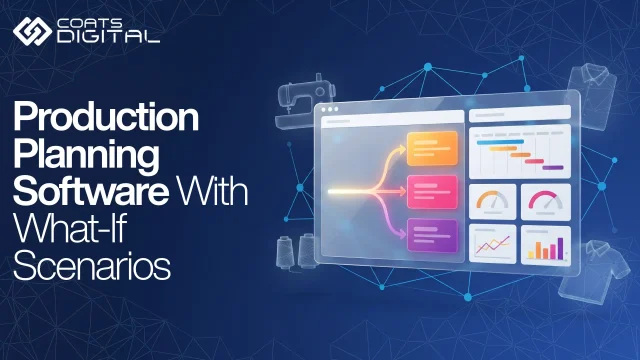
Production Planning Software With Strong What-If Scenario Planning for Manufacturers
Production Planning Software for Large Garment Factories in Bangladesh (5,000+ Workers)
All Blog Categories
- Production Planning
- Corporate
- Method Time Cost Optimisation
- Supply Chain Solutions
- Sustainability
- Videos